All projects

Project / Heritage Baptist Church

MicBoard and 3D-printed gear storage

A home for the gear. A shared view for the team.

At Heritage Baptist Church, I paired the holders I 3D printed with shared microphone information to help singers and production crews find equipment, learn names and check readiness.

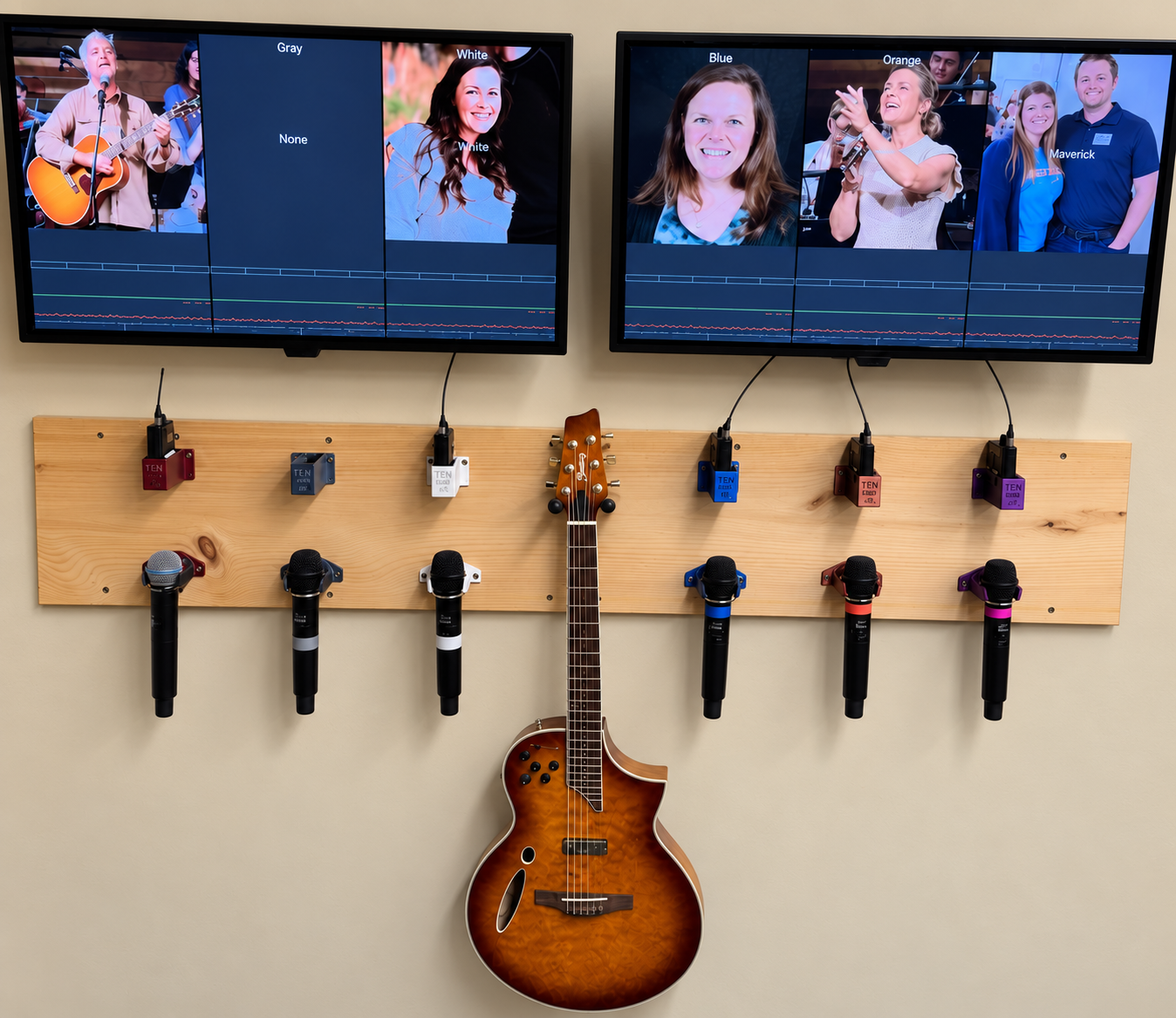
3D-printed microphone and in-ear monitor holders below singer-identification displays
The mic wall brings equipment storage, singer identification and wireless status together.

01 / The problem

Gear and information
people can find.

Microphones and in-ear packs need a clear place to live. Singers need to find their assigned equipment, and operators in different positions need useful microphone information before it is needed on stage.

02 / My role

Printing, integration
and team support.

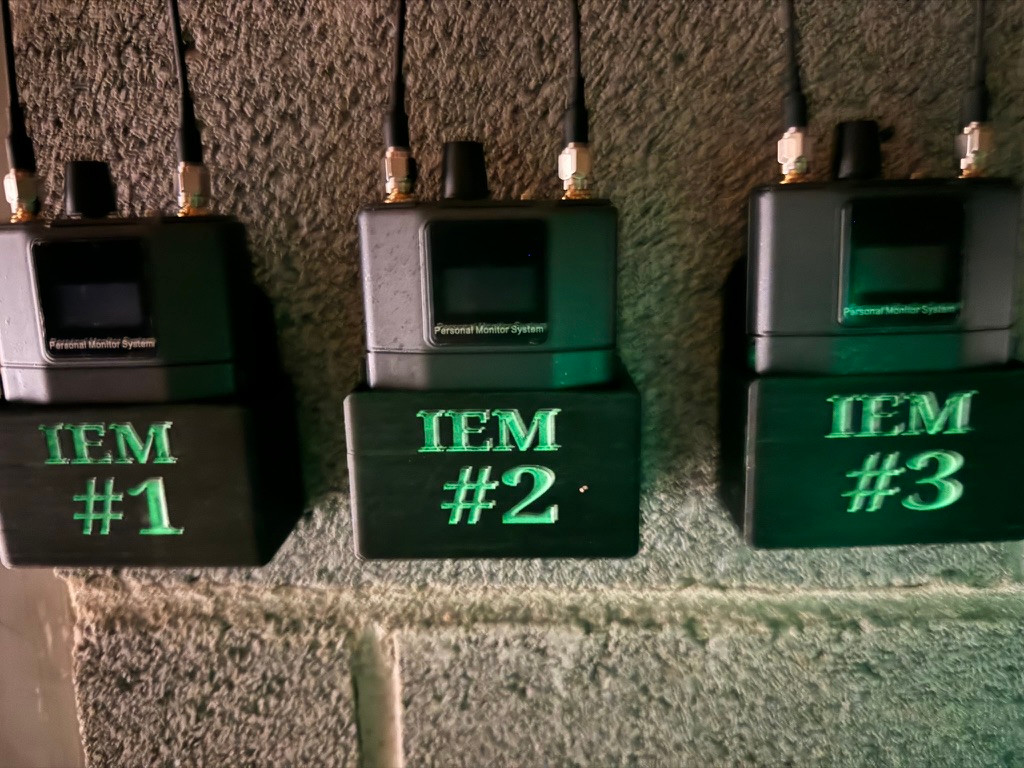
I 3D printed all of our microphone and IEM holders, including the youth-room holders, and added green glow-in-the-dark identification markings to the youth holders. I brought that physical storage together with our existing MicBoard, Planning Center Services and Shure wireless workflow. My install crew and I also installed the equipment in our audio broadcast room.
03 / System overview

Physical storage.
Shared information.

The holders give each microphone and pack a dedicated spot. MicBoard matches Planning Center Services singer assignments with names and photographs, alongside Shure wireless status. A Raspberry Pi displays the shared webpage at the mic wall; front of house, monitors, audio broadcast and video broadcast can view the same page.

  1. Give the gear a homePrinted holders for microphones and IEM packs.
  2. Connect the assignmentNames and photographs beside the equipment.
  3. Share useful statusThe same webpage across production positions.
Three youth-room in-ear monitor packs in 3D-printed holders with green identification markings
Youth-room IEM holders I printed, with glow-in-the-dark identification markings.

04 / Practical benefits

A shared point of reference.

For singers

A name and photograph connect the singer’s assignment to the microphone below. Printed holders make the equipment easier to find and return. A battery readout can help identify a simple problem.

For upstairs broadcast

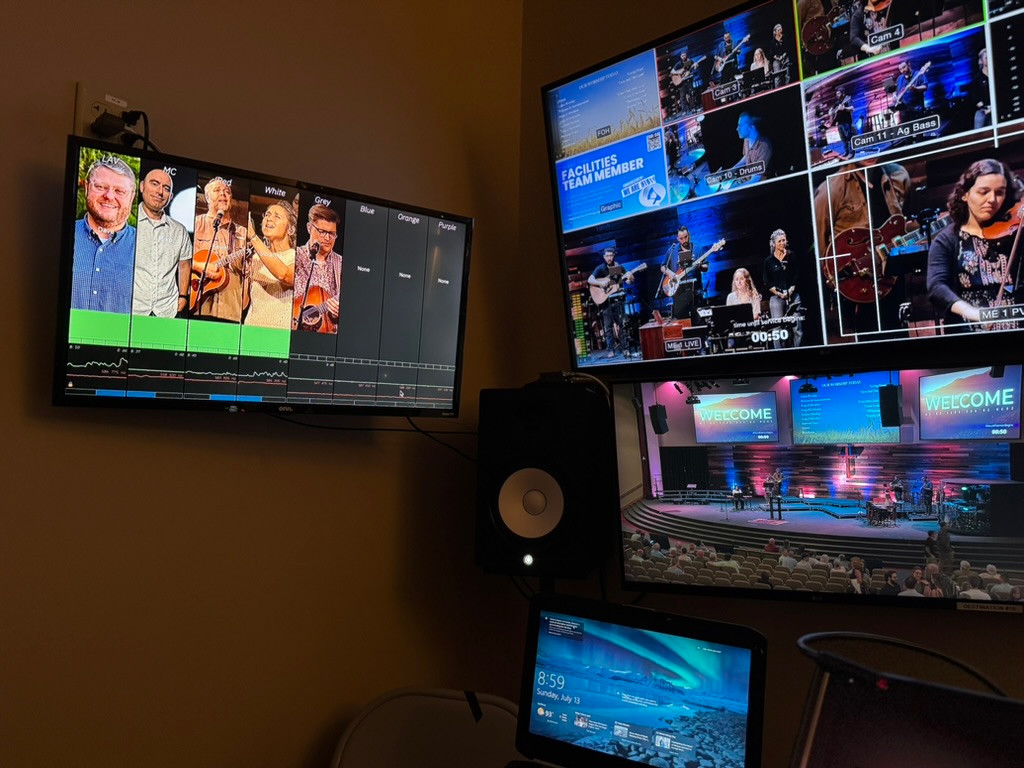
The broadcast A1 can see microphone information without calling or texting another position. That includes checking whether the MC’s microphone is on before service.

For new operators

Names and photographs help new front-of-house and monitor trainees learn who is on stage while learning their technical role. That supports relationships as well as operation.

For readiness checks

The team can check on/off status, recent activity, audio level, battery status, RF strength and receiver antenna selection. For baptism, the grey microphone’s battery and audio readouts provide a useful pre-service check.

MicBoard in audio broadcast with singer photographs, names and green microphone status boxes
The shared MicBoard view in audio broadcast. Green boxes indicate microphones that are on.

Check the information.
Then check the sound.

Status information helps guide troubleshooting. Audio activity at the monitored point does not replace listening at the intended destination.

05 / Skills and tools

Making the workflow usable.

3D printing · Equipment organization · AV and IT integration · Wireless microphone monitoring · Volunteer training

MicBoard · Planning Center Services · Shure wireless systems · Wireless Workbench · Mac mini · Raspberry Pi