I 3D printed all of our microphone and in-ear monitor holders, including the youth-room IEM holders, to give each piece of gear a dedicated place. Paired with MicBoard’s singer photographs and wireless status, that storage becomes a system that helps people find, return, and troubleshoot their equipment.
The printed holders and shared displays work together: the gear has a clear home, singers can see which microphone is assigned to them, and our crew can check useful status information from multiple positions.
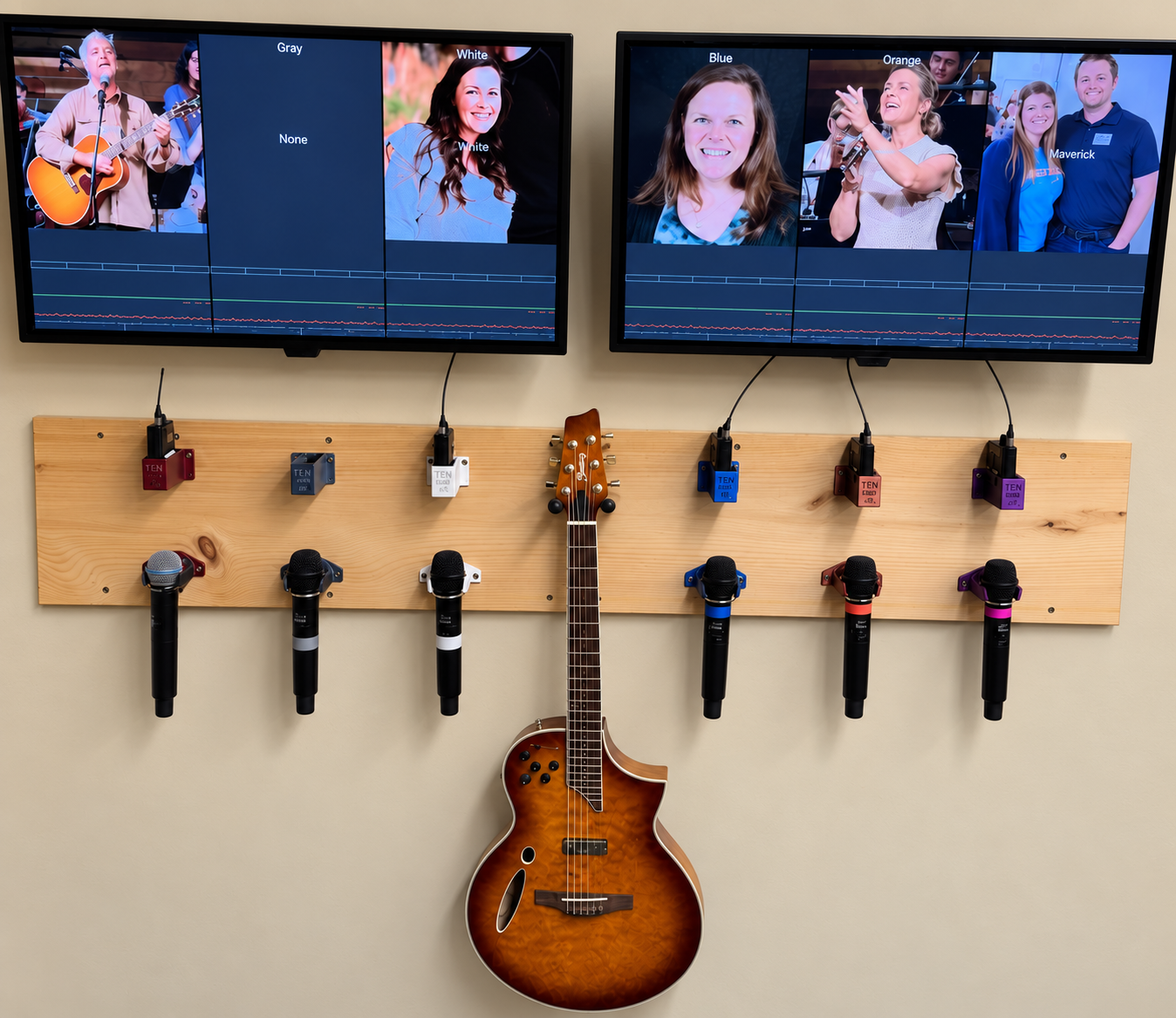
Start with the gear: 3D-printed holders
The microphone holders and IEM holders at our mic wall are all parts I 3D printed. They give each microphone and pack a dedicated spot, making the equipment easier to find, return, and account for between services.
A holder provides a consistent place to look. MicBoard shows who is assigned to that microphone and gives the team its wireless status. It is one connected workflow for finding, returning, and checking the gear.
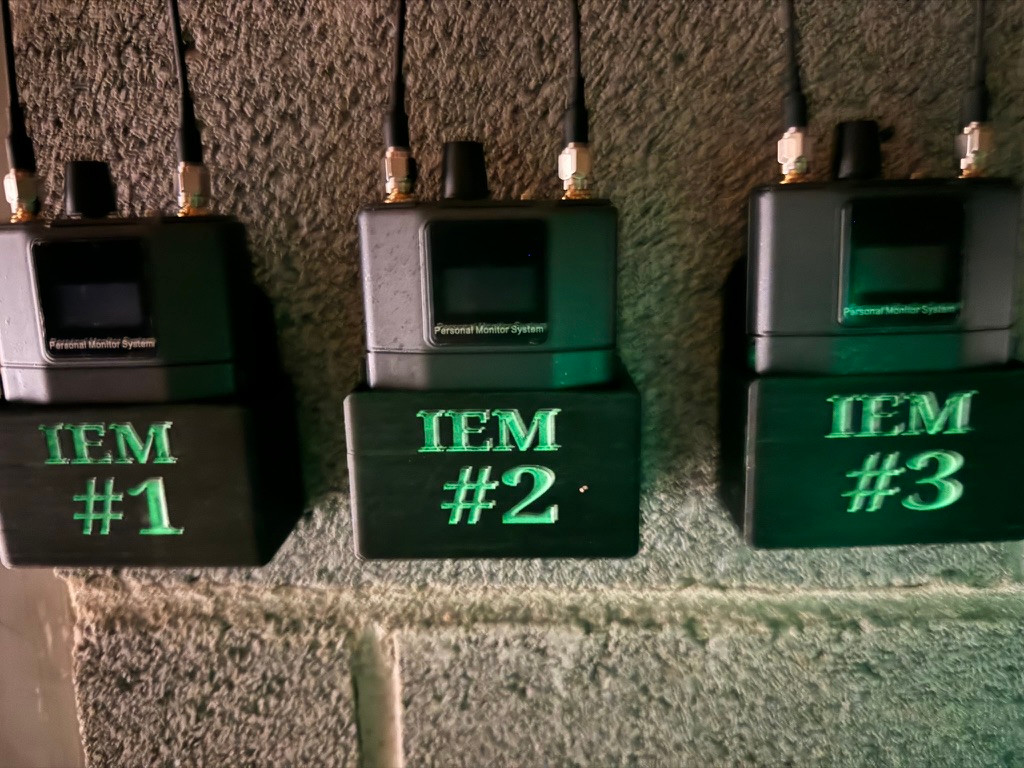
In our youth room, I also 3D printed the holders for the in-ear monitor packs. I then added green glow-in-the-dark paint to help match each pack with its holder in dark storage.
Those markings extend the same practical idea into a space with limited light: make the right place for the equipment easier to recognize.
Put a name and a face with the microphone
MicBoard matches singer assignments from Planning Center Services with named singer photographs on the displays above the assigned microphones. A singer can find their name and photo and connect that assignment with the microphone below it.
When I’m training someone new at front of house or monitors, that person also has a picture of the singer and their name. They can begin learning who is on stage while they learn the technical role.
For me, that helps build community. Knowing someone’s name makes it easier to talk with them, help them, and get to know the people we’re serving.
Give the crew another set of eyes
The shared view lets people in different positions help with practical checks before a microphone is needed:
- Broadcast can double-check that the MC’s microphone is on before service.
- The crew preparing for baptism can check the grey baptism microphone’s battery and audio-level readouts before walking out.
- If a singer’s microphone turns off, they can check the battery readout and see whether that might explain the problem.
Those are small checks, but having the information available means more of the team can take part. The broadcast A1 has a view upstairs, the crew has a way to check readiness, and singers can help troubleshoot an easy issue.
What the dashboard tells us
Alongside names and photographs, the dashboard provides Shure wireless microphone status:
- On/off status
- Recent activity within the last five minutes
- Audio level
- Battery status
- RF strength
- Receiver antenna selection
In the broadcast monitor photo, the green boxes mean those microphones are on. The other displayed information gives us more context when checking a microphone.
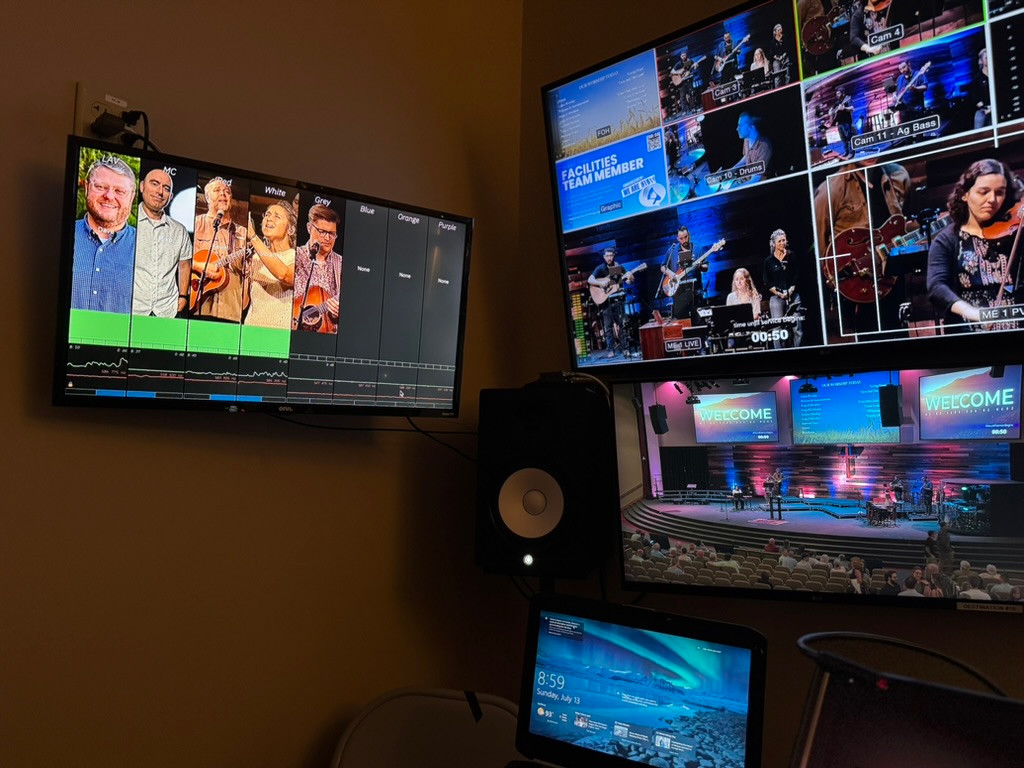
The audio readout shows activity at the monitored point. Confirming the complete signal path still calls for an actual listening check at the intended destination. The display helps us decide what to check and gives us useful evidence along the way.
Share the same webpage across positions
Broadcast audio is upstairs behind our stage. My broadcast A1 now has microphone information without having to call or text someone in another position. That shared view is one of the useful things MicBoard brings to our team.
The system uses a 2014 Mac mini running Shure Wireless Workbench. That computer also serves the shared network webpage.
A Raspberry Pi at the mic wall displays the page. Monitor world, front of house, audio broadcast, and video broadcast can view that same webpage from their locations.
My install crew and I installed the equipment throughout the audio broadcast room. This MicBoard view is one part of that room’s production workflow, giving the person mixing upstairs access to information the rest of the team can also see.
Help people work together
The useful part of this project is what it does for the people using it. A singer can find their microphone and check a battery. A new operator can put a name with a face. Someone in broadcast can help check that a microphone is ready without having to call or text.
The holders give equipment a home; the displays give people a shared point of reference. Together, they make information easier to share and give our team more ways to look out for each other.